
Features
Math Warrior features
Math Warrior is a coming-soon elementary math practice app for K through 5th Grade learners, with grade-safe lessons, adaptive review, learner profiles, parent controls, and progress visibility.
App documentation
Feature details, limitations, user value, and screenshots are generated from app-specific documentation data.
Overview
Expandable feature documentation
Each feature carries summary, detail, user value, availability, limitations, roadmap notes, and screenshot references.
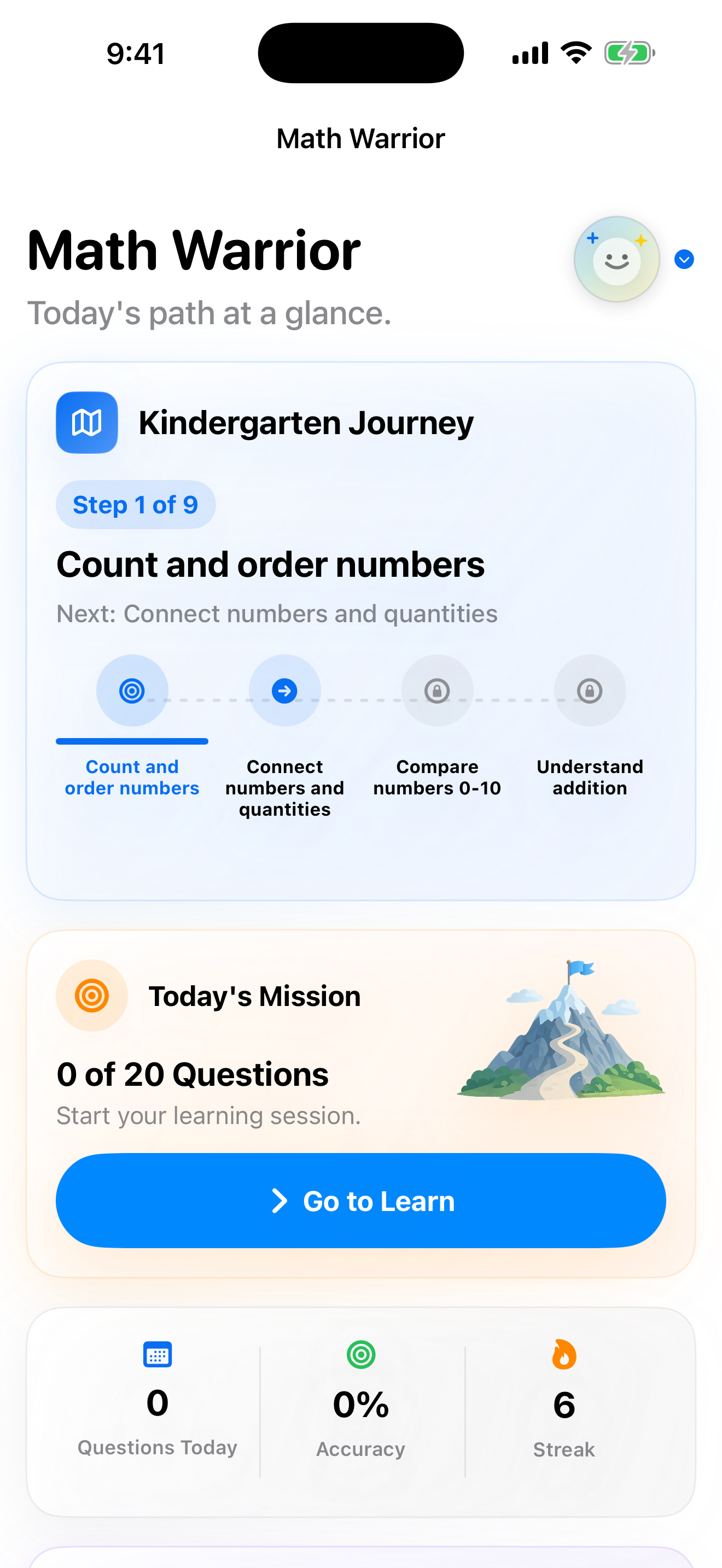
Grade-Safe Practice
Free + Premium Choose K through 5th Grade content that stays inside the V1 elementary math scope.
Expand Collapse
Grade-Safe Practice
Free + PremiumChoose K through 5th Grade content that stays inside the V1 elementary math scope.
How it works
Math Warrior focuses on number recognition, counting, addition, subtraction, multiplication, division, and fact fluency. It avoids unsupported advanced topics such as fractions, decimals, ratios, geometry, measurement, and word problems in V1.
Why it matters
Families can choose a learner level without accidentally pushing into topics outside the planned elementary scope.
Practice Modes
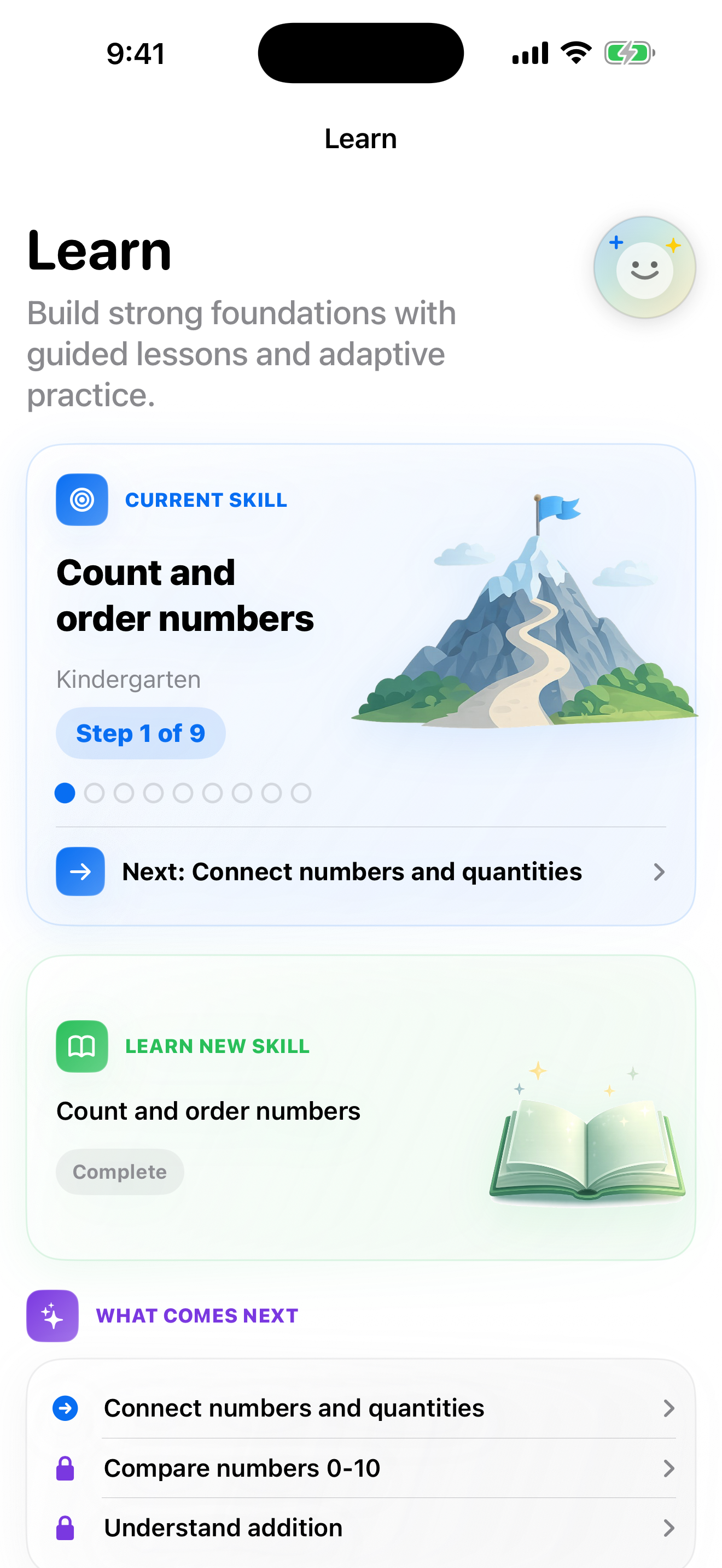
Free + Premium Use Learn, Practice, Challenge, Review Mistakes, Mastery Review, and Custom Practice modes.
Expand Collapse
Practice Modes
Free + PremiumUse Learn, Practice, Challenge, Review Mistakes, Mastery Review, and Custom Practice modes.
How it works
Learn mode introduces skills, Practice reinforces facts, Challenge adds timed focus, Review Mistakes brings missed facts back, Mastery Review checks retention, and Custom Practice lets families target a specific area.
Why it matters
Different modes help practice feel intentional instead of repeating one generic quiz screen.
Adaptive Review
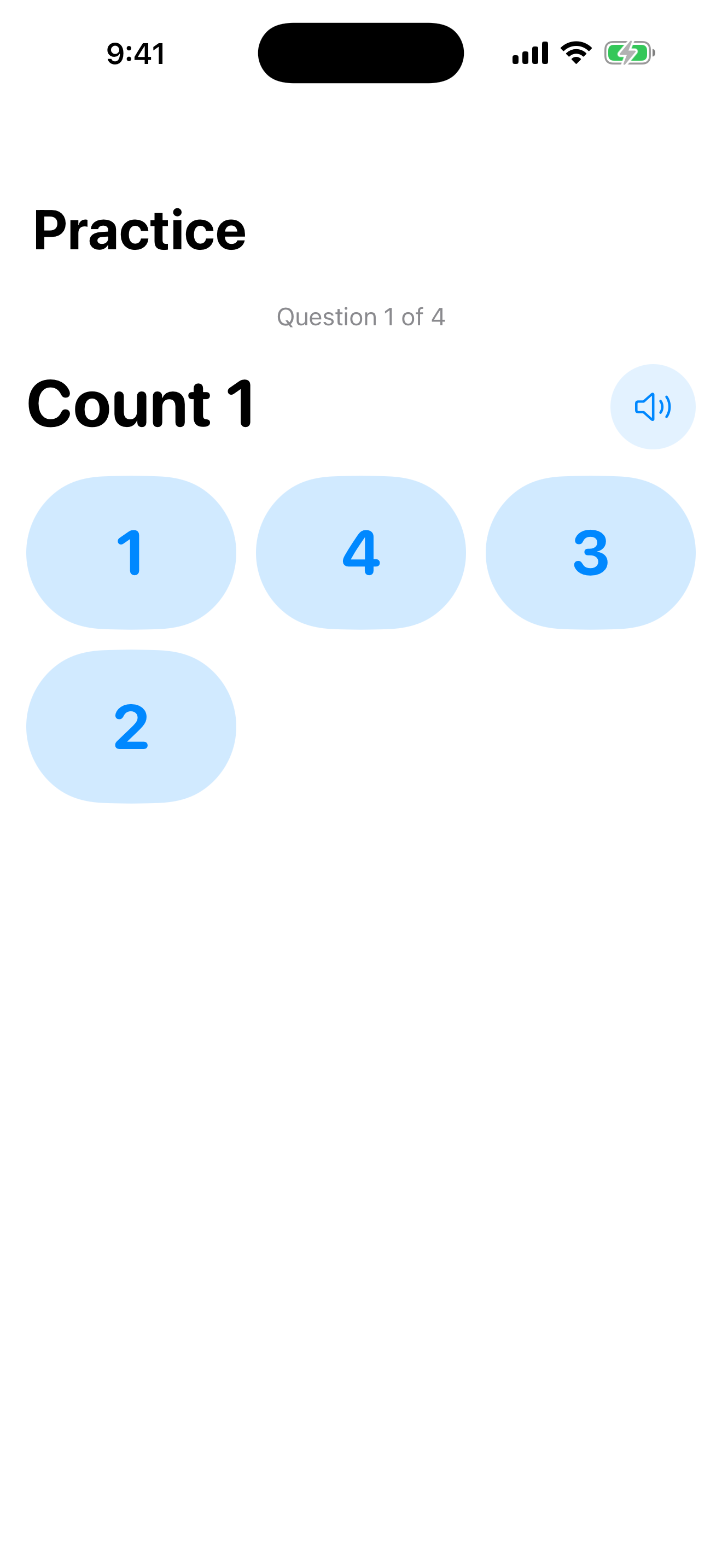
Free + Premium Keep missed facts visible and help learners revisit weak spots.
Expand Collapse
Adaptive Review
Free + PremiumKeep missed facts visible and help learners revisit weak spots.
How it works
Practice results feed review surfaces so learners can come back to mistakes, rebuild accuracy, and work toward mastery without needing a parent to manually track every answer.
Why it matters
Short sessions can still build momentum because missed facts are not forgotten after one round.
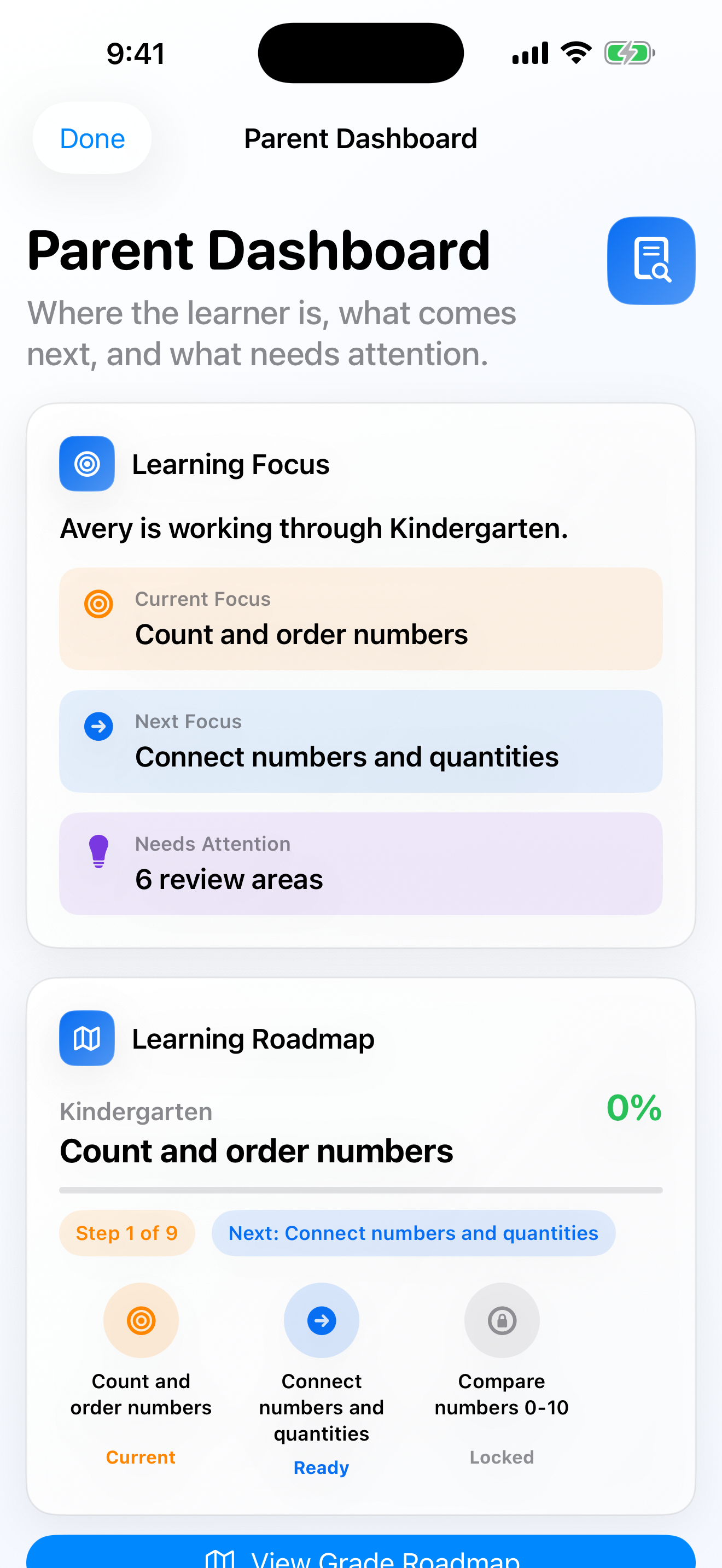
Progress and Achievements
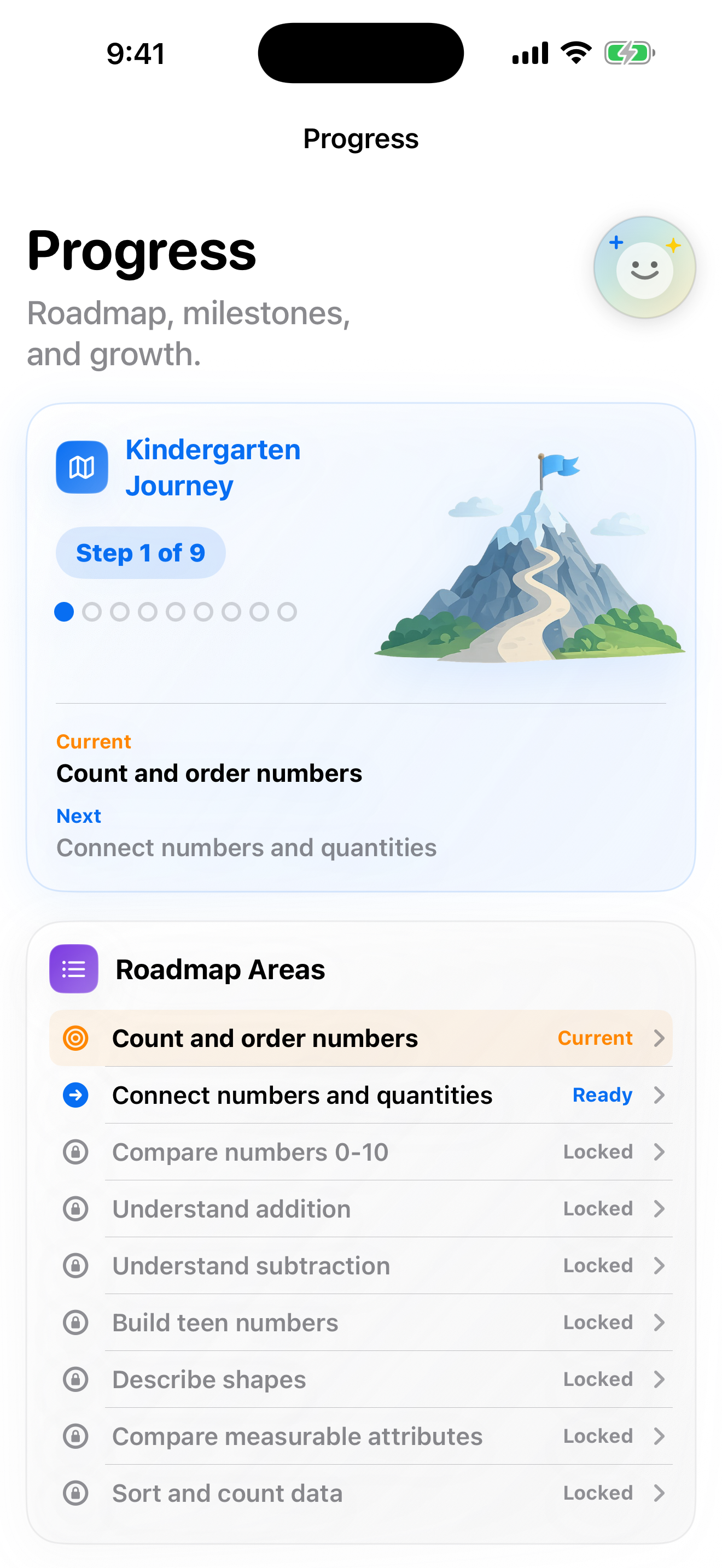
Free + Premium Track accuracy, streaks, roadmap progress, mastered facts, achievements, and recent activity.
Expand Collapse
Progress and Achievements
Free + PremiumTrack accuracy, streaks, roadmap progress, mastered facts, achievements, and recent activity.
How it works
Dashboards and progress screens show what the learner has practiced, what is improving, and which facts are moving toward mastery. Achievements give families lightweight milestones to recognize consistency.
Why it matters
Parents get a clearer picture of progress without turning practice into a spreadsheet.
Parent Controls
Free + Premium Use a PIN-protected parent area for learner setup, practice controls, and progress review.
Expand Collapse
Parent Controls
Free + PremiumUse a PIN-protected parent area for learner setup, practice controls, and progress review.
How it works
The parent area is designed for profile setup, grade selection, practice settings, progress review, and purchase controls while keeping the learner experience focused.
Why it matters
Families can manage practice and review progress without adding account setup to the V1 flow.
Comparison
Math Warrior availability.
Coming soon with optional Premium Lifetime unlock.
| Capability | Base | Upgrade |
|---|---|---|
| Learner profiles | One learner profile | More learner profiles |
| Daily practice | Included | Unlimited practice |
| Grade-safe skill paths | Included | Included |
| Mistake review | Included | Included |
| Progress history | Basic progress view | Full progress history |
| Parent insights | Basic summaries | Deeper parent insights |
| Account requirement | No account required | No account required |
| Purchase model | $0 | $19.99 lifetime unlock |
Screenshots
Prepared for real app media
Screenshots are structured by feature and manual section so app pages can show real interface media as each product matures.