
Features
Inspect Warrior: Inspections features
Inspect Warrior: Inspections is a local-first rental property inspection app for landlords, property managers, and short-term rental operators who need structured inspections, reusable templates, photos, signatures, and professional local exports.
App documentation
Feature details, limitations, user value, and screenshots are generated from app-specific documentation data.
Overview
Expandable feature documentation
Each feature carries summary, detail, user value, availability, limitations, roadmap notes, and screenshot references.
Local-First Platform
Trial + Subscription Work from iPhone, iPad, or Mac without an app account or required backend.
Expand Collapse
Local-First Platform
Trial + SubscriptionWork from iPhone, iPad, or Mac without an app account or required backend.
How it works
Inspect Warrior: Inspections uses native iOS and Mac Catalyst support with local SwiftData persistence. The main inspection workflow is offline-capable, while StoreKit purchases, restore purchases, subscription management, and external support links may require network access.
Why it matters
Small operators can document rental conditions in the field without waiting on account setup, cloud dashboards, or team infrastructure.
Subscription Access
Trial + Subscription Start with a 7-day free trial, then continue with a monthly or yearly Inspect Warrior: Inspections Pro subscription.
Expand Collapse
Subscription Access
Trial + SubscriptionStart with a 7-day free trial, then continue with a monthly or yearly Inspect Warrior: Inspections Pro subscription.
How it works
StoreKit handles monthly and yearly subscription products, purchase, restore purchases, active plan status, trial state, and Apple subscription management links. Active subscriptions hide purchase buttons and open the main inspection workspace.
Why it matters
The pricing model is direct: the inspection workflow is available during trial and requires an active subscription afterward.
Dashboard Workflow
Trial + Subscription Start work quickly with dashboard actions, active inspections, recent inspections, and recent properties.
Expand Collapse
Dashboard Workflow
Trial + SubscriptionStart work quickly with dashboard actions, active inspections, recent inspections, and recent properties.
How it works
The Dashboard includes quick actions for Start Inspection, Add Property, and View Reports. Active inspection cards show progress, and recent sections link back into the inspection, report, and property workflows.
Why it matters
Field work can resume from the place users naturally return to most.
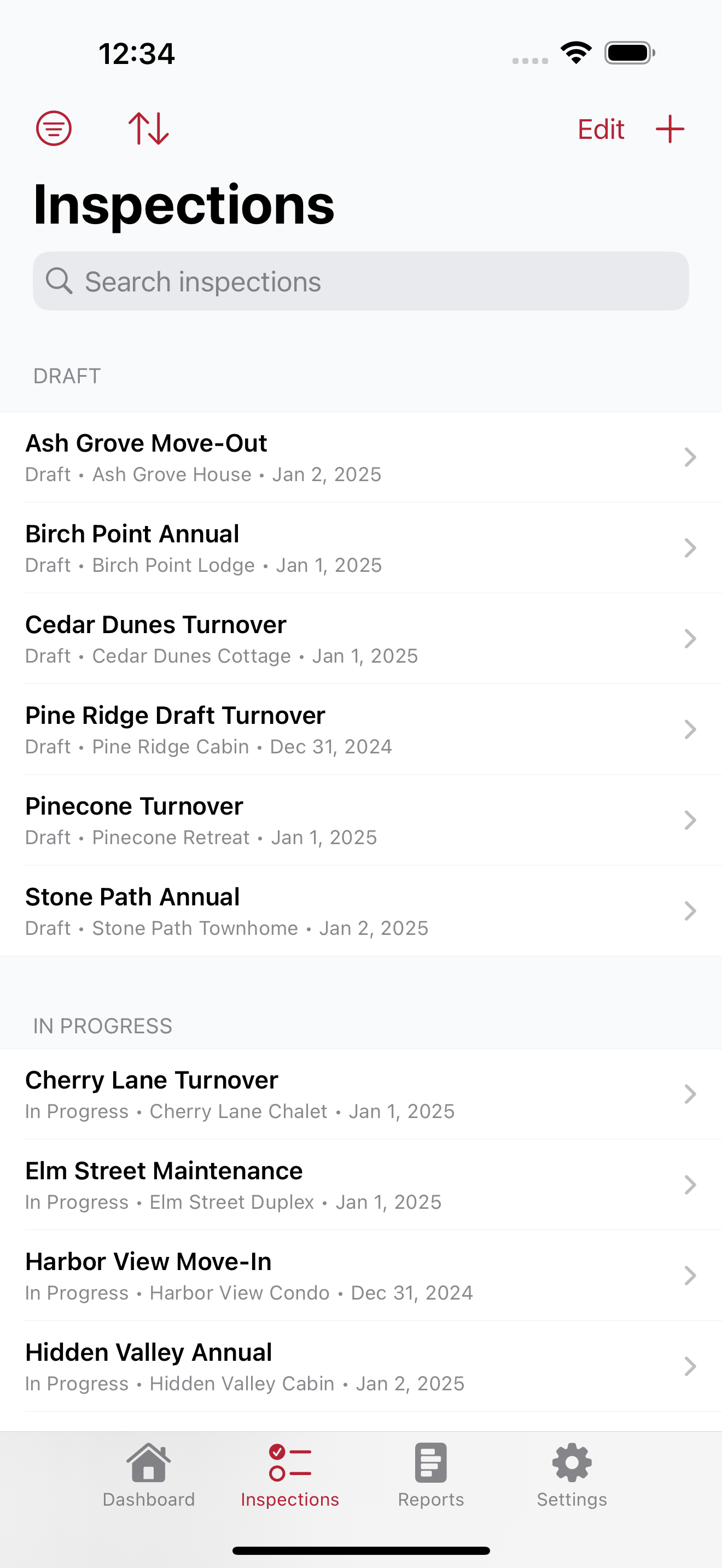
Properties and Inspectors
Trial + Subscription Maintain rental property records and inspector profiles for repeatable inspection setup.
Expand Collapse
Properties and Inspectors
Trial + SubscriptionMaintain rental property records and inspector profiles for repeatable inspection setup.
How it works
Properties support names, addresses, units, property types, search, filters, recent views, multi-select deletion, and soft-delete behavior. Inspectors can be added, edited, marked default, inactivated, or deleted while preserving existing inspection history.
Why it matters
Reusable property and inspector records reduce repeated typing and keep reports tied to the correct context.
Inspection Templates
Trial + Subscription Use seeded defaults or customize templates, sections, and checklist items.
Expand Collapse
Inspection Templates
Trial + SubscriptionUse seeded defaults or customize templates, sections, and checklist items.
How it works
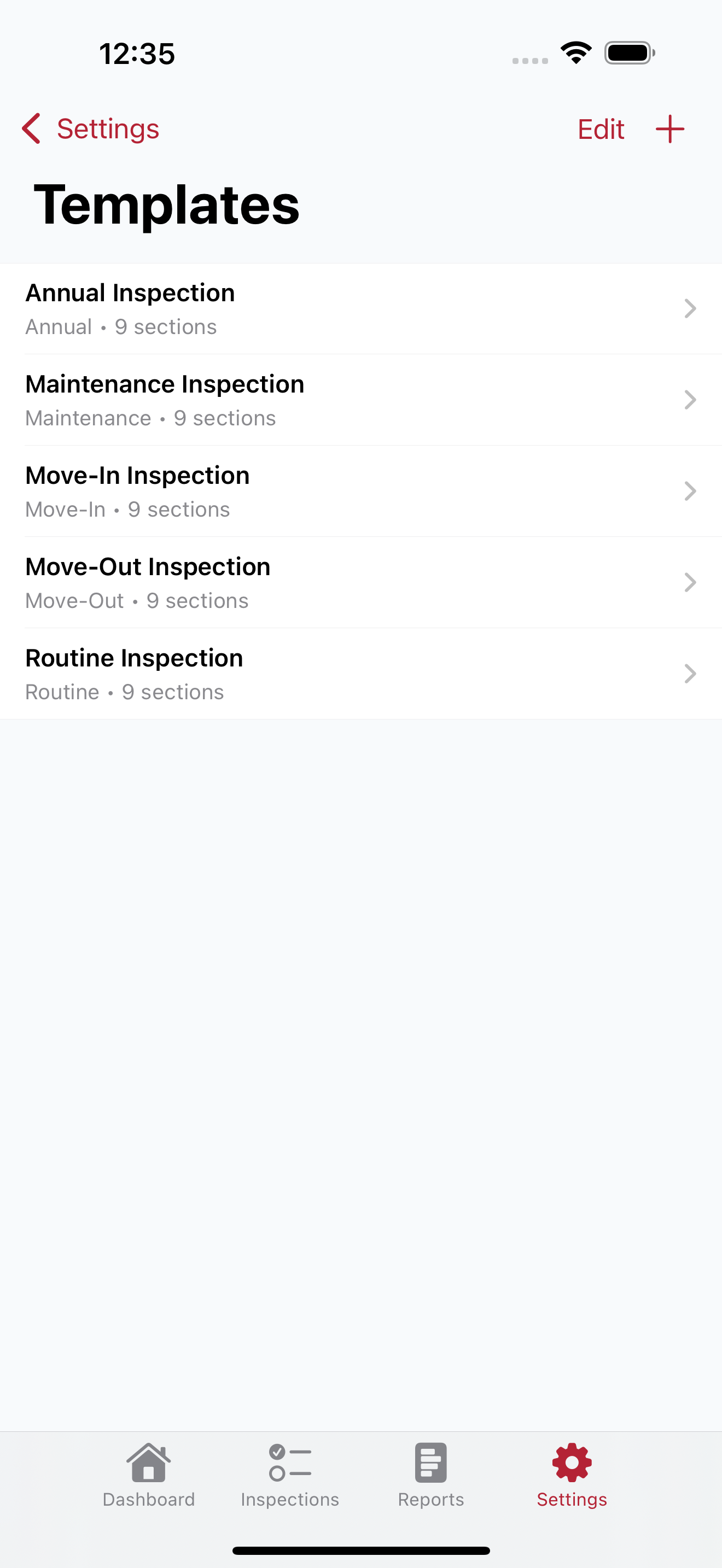
Default templates include Move-In, Move-Out, Short-Term Rental Turnover, and Annual Rental Inspection. Templates support add, edit, duplicate, delete, section ordering, item ordering, inspection type, property type, and soft-delete behavior.
Why it matters
Templates standardize recurring walkthroughs while letting owners adapt checklist language to their properties.
Inspection Checklists
Trial + Subscription Track inspection status with section-based checklist navigation, item details, notes, and progress metrics.
Expand Collapse
Inspection Checklists
Trial + SubscriptionTrack inspection status with section-based checklist navigation, item details, notes, and progress metrics.
How it works
Checklist items support Unchecked, Pass, Fail, and N/A statuses, per-item notes, automatic save on status and notes changes, and a progress summary for checked count, percent complete, pass, fail, N/A, and unchecked counts.
Why it matters
Structured status and progress tracking keep long walkthroughs organized and make incomplete work easy to spot.
Photos and Signatures
Trial + Subscription Attach local inspection photos and capture inspector plus tenant/client signatures.
Expand Collapse
Photos and Signatures
Trial + SubscriptionAttach local inspection photos and capture inspector plus tenant/client signatures.
How it works
Checklist items can store camera or photo-library images with captions. Signature capture supports finger or Apple Pencil drawing, preview, replacement, deletion before completion, and local PNG storage.
Why it matters
Photo-backed, signed reports give landlords and managers clearer records for tenant handoffs, maintenance follow-up, and dispute prevention.
Limitations
Photos and signatures are sensitive records and remain local unless exported or shared by the user.
Completion and Reopening
Trial + Subscription Complete inspections to lock edits and generate reports, then reopen when corrections are needed.
Expand Collapse
Completion and Reopening
Trial + SubscriptionComplete inspections to lock edits and generate reports, then reopen when corrections are needed.
How it works
Completing an inspection stamps the completed date, locks checklist edits, photo changes, and signature changes, and generates a local PDF report. Completed inspections can be reopened for corrections, while archived inspections remain read-only.
Why it matters
The workflow protects finalized records while still allowing controlled corrections before sharing.
Reports and Exports
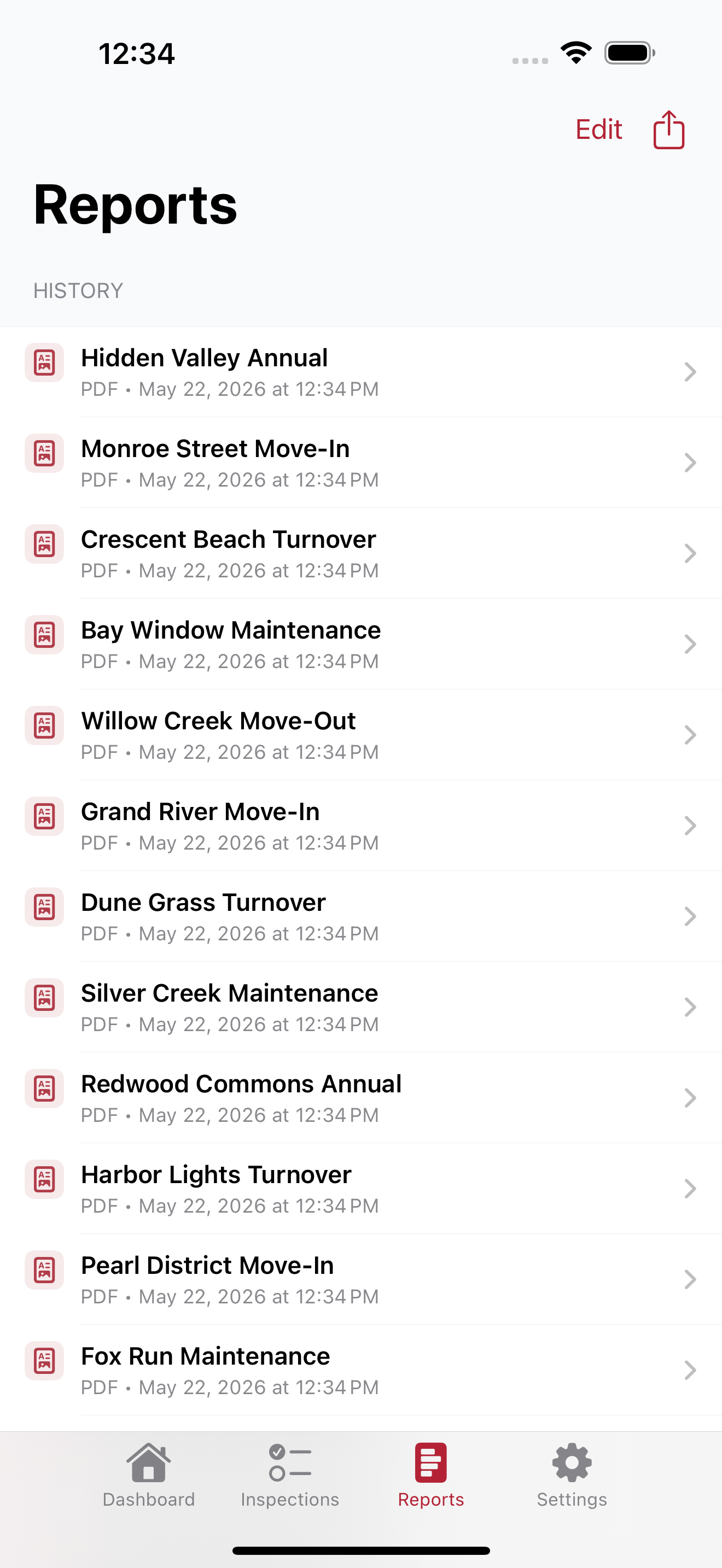
Trial + Subscription Generate, preview, share, repair, and delete local PDF, CSV, and ZIP report exports.
Expand Collapse
Reports and Exports
Trial + SubscriptionGenerate, preview, share, repair, and delete local PDF, CSV, and ZIP report exports.
How it works
Reports include branded PDF headers, summary metrics, property details, inspection details, checklist sections, status badges, notes, embedded photo pages, signatures, and page footers. CSV exports provide one row per checklist item, and ZIP exports package the PDF, CSV, and attached photos.
Why it matters
Exports make inspections usable outside the app for owners, tenants, clients, accounting records, and long-term archives.
Settings, Support, and Privacy
Trial + Subscription Manage appearance, data setup, subscription status, support, and local data expectations.
Expand Collapse
Settings, Support, and Privacy
Trial + SubscriptionManage appearance, data setup, subscription status, support, and local data expectations.
How it works
Settings include Light, Dark, and System appearance, data links for Inspectors, Rental Properties, and Inspection Templates, subscription status, restore purchases, manage subscription, Support, and About. Support emails can include version, build, device, and OS context.
Why it matters
Users have a clear place to manage the app and contact support without creating an account.
Limitations
V1 stores rental properties, inspectors, templates, inspections, notes, photos, signatures, exports, settings, and subscription entitlement state locally on device. It does not include backend sync or cloud team workflows.
Comparison
Inspect Warrior: Inspections availability.
Subscription required after a 7-day free trial.
| Capability | Base | Upgrade |
|---|---|---|
| Free trial | 7 days | Subscription required after trial |
| Local-first inspection workspace | Included during trial | Included |
| Dashboard, inspections, reports, and settings | Included during trial | Included |
| Rental properties and inspectors | Included during trial | Included |
| Default and custom templates | Included during trial | Included |
| Checklist statuses, notes, and progress | Included during trial | Included |
| Camera and photo-library attachments | Included during trial | Included |
| Inspector and tenant/client signatures | Included during trial | Included |
| PDF, CSV, and ZIP export | Included during trial | Included |
| Restore and manage subscription | Available during trial | Included through Apple StoreKit |
| Account requirement | No account required | No account required |
Screenshots
Prepared for real app media
Screenshots are structured by feature and manual section so app pages can show real interface media as each product matures.